
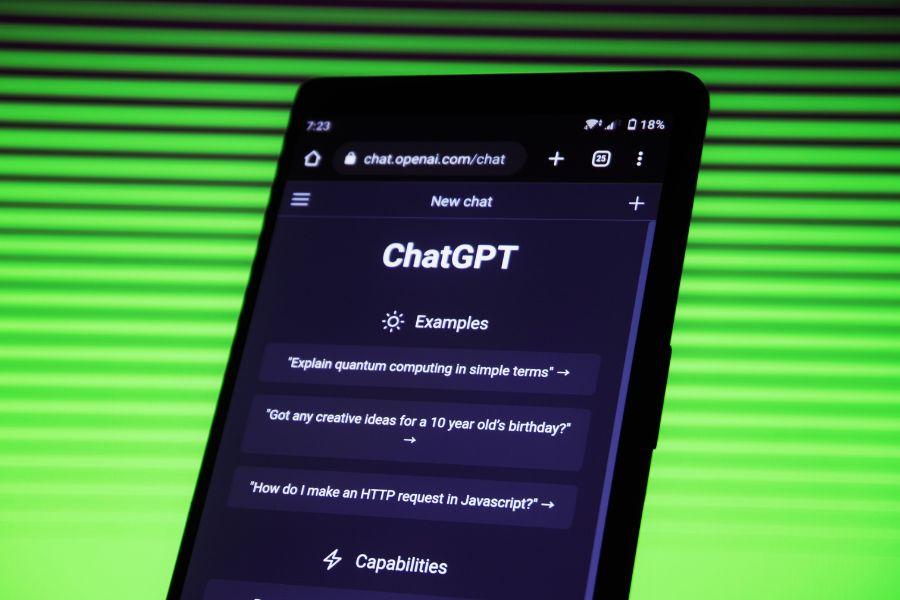
Big news in the world of AI: ChatGPT is leveling up and adding a chat with voice and Image Input features. Say goodbye to the old way of doing things because we’ve got some cool stuff to talk about! ChatGPT Image Input and Voice Input will become available very soon for Plus users.
Read More: What is ChatGPT Custom Instructions and how does this feature work (with prompts)?
ChatGPT Voice Input

ChatGPT Voice Input (Beta): If you’re a Plus user on iOS or Android, get ready to chat with your AI assistant like never before. Yep, that’s right, ChatGPT can now chat back with voice! Whether you’re on the move or need a bedtime story, your AI buddy has got your back. To kick things off, go to your mobile app’s Settings, find the New Features section, and opt into voice conversations. Then, hit that headphone button in the top-right corner and pick from five different voices. It’s like having a mini AI orchestra in your pocket!
Read More: Tinder AI: Write the perfect Bio and Choose the best photos with AI
ChatGPT Image Input

ChatGPT Image Input: Hold onto your hats because this one’s a game-changer. Plus users across all platforms can now show ChatGPT images. Can’t get your grill to sizzle? Snap a pic and ask for help. Need to figure out what’s for dinner? Peek into your fridge and make a plan. Got a gnarly graph at work? Let ChatGPT break it down for you. Plus, if you want to zoom in on the details, there’s a drawing tool in the mobile app.
Ready to dive in? Just tap that photo button, snap a pic, or choose one from your collection. You can even discuss multiple images or use the drawing tool to lead your trusty assistant on a visual adventure.
Read More: Ideogram AI Image Generator Review: How’s it Better than Midjourney?
How will ChatGPT chance our lives
let’s talk about how these new ChatGPT superpowers can transform our daily grind. It’s like a scene out of that movie “Her” (you know, the one where Joaquin Phoenix falls head over heels for his AI assistant). Now, we’re not saying you’ll fall in love with ChatGPT (that’s for romantic comedies), but it’s definitely going to make life more interesting.
Imagine having your AI sidekick there to chat with you, help you troubleshoot problems, and even whip up bedtime stories on demand. Plus, with the image feature, it’s like having your own personal detective or artist on call. ChatGPT’s got your back with a virtual toolbox of awesomeness. So, get ready to level up your daily adventures because the future just got a whole lot more fun and interactive!
Read More: Fotor and 10 other BEST free AI image generators
What will you will be able to do with ChatGPT Image Input and Voice Input

let’s have a look at the possibilities with ChatGPT’s new image input and voice chat features. Here are some cool ideas:
1. Travel Planning: Want to explore a new destination? Show ChatGPT a picture of a beautiful beach, a famous landmark, or a bustling street, and it can provide you with travel recommendations, tips, and even help you find the best deals.
Editors tip: We tried this a couple of times and to be honest, ChatGPT isn’t really great at it (yet). It is fun to try, but make sure to check things yourself too, because for us ChatGPT made things up.
2. Home Improvement: Got a DIY project on your hands? Snap a pic of your workspace or the area you’re renovating, and ChatGPT can offer step-by-step instructions, suggest design ideas, and recommend materials and tools.
3. Fashion Advice: Can’t decide what to wear for a special occasion? Show ChatGPT your outfit options, and it can give you fashion advice, suggest accessories, or even help you put together a complete look.
4. Language Learning: Trying to learn a new language? Practice pronunciation and have conversations with ChatGPT in your target language using voice chat. It’s like having a language tutor in your pocket!
5. Cooking Adventures: Snap a pic of the ingredients you have in your fridge, and ChatGPT can come up with delicious recipes you can make with what you’ve got. It can also provide cooking tips and techniques through voice chat.
6. Education: Students, rejoice! Get help with your homework by showing ChatGPT complex equations, historical documents, or scientific diagrams. It can explain concepts in a way that’s easy to understand through voice chat.
7. Storytelling: Feeling creative? Collaborate with ChatGPT to co-write a story. You can describe scenes through images and have your AI buddy craft the narrative with you using voice chat. It’s a great way to spark your creativity!
8. Gaming Assistance: Gamers, this one’s for you. Share screenshots or images from your favorite games, and ChatGPT can offer strategies, tips, and even engage in post-game analysis through voice chat.
9. Art and Design: Whether you’re an artist or just doodling for fun, use ChatGPT’s drawing tool to enhance your artwork. You can also discuss your creative process through voice chat for instant feedback and inspiration.
10. Fitness Coaching: Show ChatGPT pictures of your workout equipment, and it can suggest exercise routines tailored to your fitness goals. You can also have voice-guided workout sessions, making your fitness journey more interactive.
These are just a few ideas and things that come to my mind that we can do with the new updates. These features open up a world of possibilities for enhancing productivity, creativity, and everyday life experiences. Whether you’re seeking assistance, entertainment, or simply a bit of fun, ChatGPT’s got you covered with its new tricks!
So there you have it, folks, ChatGPT is going beyond the keyboard and screen to chat, listen, and see the world with you. Get ready to have some AI-powered fun while you conquer your daily challenges.
Read More: Eleven Labs AI: Voice Generation for 28 Languages
FAQ
- Q: When will these new features be available for Plus users?
- A: ChatGPT Image Input and Voice Input should be available for Plus users within the next 2 weeks (as of September 25th).
- Q: How can I access the Voice (Beta) feature in ChatGPT?
- A: If you’re a Plus user on iOS or Android, you can start chatting with your AI assistant using voice. Simply go to your mobile app’s Settings, find the New Features section, and opt into voice conversations. Then, tap the headphone button in the top-right corner and choose from five different voices.
- Q: What can I do with ChatGPT’s Image Input feature?
- A: With visual input, you can do a lot! For example, you can troubleshoot issues like a grill that won’t start, plan meals by checking the contents of your fridge, or analyze complex graphs for work-related data. There’s also a drawing tool in the mobile app to focus on specific details in images.
- Q: How can ChatGPT’s Image Input and Voice Input transform our daily lives?
- A: These new features open up a world of possibilities. Imagine having an AI sidekick that can chat with you, help troubleshoot problems, and even tell bedtime stories. It’s like the movie “Her,” but with a more practical twist. Plus, the image feature is like having a personal detective or artist on call for various tasks.


